Build a Second Brain
In April 2026 Andrej Karpathy described a way of keeping notes that spread fast: stop asking a model to re-read a pile of raw documents every time, and instead compile that raw material into a wiki of clean, interlinked pages. His metaphor is the useful part — raw notes are source code, the model is a compiler, the wiki is the compiled output.
Nothing about it is DocGraph-specific, and DocGraph has no “second brain” button. But every piece the method needs is already here, and one piece — the index — DocGraph maintains for you. This guide is the recipe.
The shape of it
Section titled “The shape of it”Capture/Inbox.html ← thoughts, captured in one keystrokeSources/ ← raw material: articles, PDFs, meeting notesWiki/ ← the compiled pages, each citing its sourcesTwo folders and a note. Make them however you like — DocGraph attaches no meaning to the names.
1. Capture without thinking
Section titled “1. Capture without thinking”Press ⌘⇧N anywhere in the app (or use the icon in the title bar), or ⌥Space from any other app. Type the thought, press Enter, and you are back where you were.
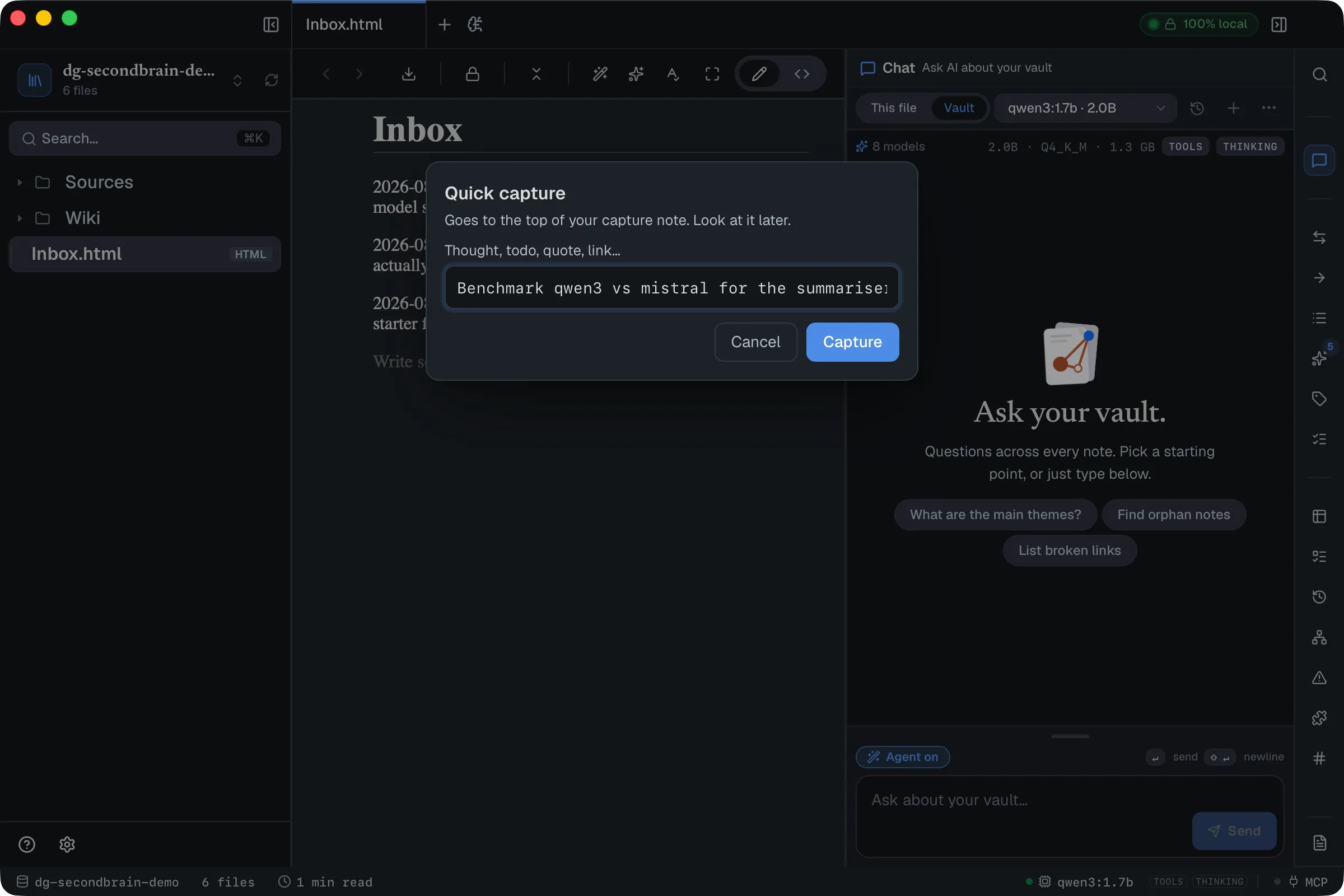
Each capture lands at the top of your capture note with a timestamp, so the newest thing is always the first thing you see:
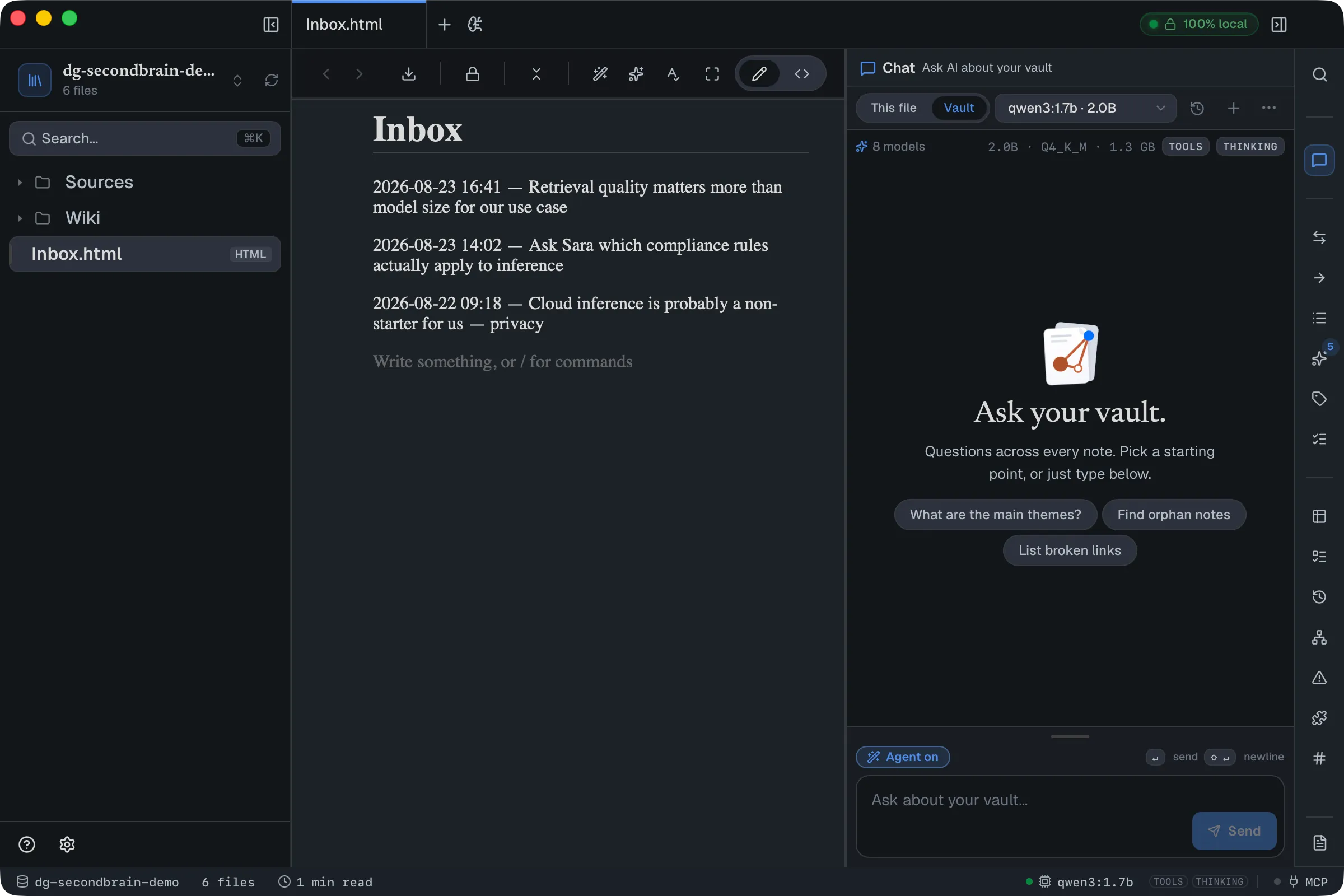
This is the append-and-review half of Karpathy’s method, and it is the one part that is a real DocGraph feature — see Quick capture for the details, including how to point it at a different note. It never calls a model, so it works with AI switched off.
Review by scrolling. Anything you scroll past without caring has answered its own question.
2. Collect raw material
Section titled “2. Collect raw material”Drop things into Sources/: saved articles, meeting notes, a PDF, a
spreadsheet. Don’t organise them — that is what the folder is for.
DocGraph reads all of it. PDF, Word, Excel, CSV, Markdown and HTML are all extracted to text, so the AI can work with a source in any of those formats without you converting anything. See PDF, Excel, CSV & Word.
3. Compile a source into a page
Section titled “3. Compile a source into a page”This is the step that does the work. Create a page in Wiki/, type /write,
and describe what you want:
Write a page about local inference using the article in Sources — only what it actually says, no background knowledge of your own.
/write produces a draft in place that you Accept, Regenerate, or
delete. Read it before accepting; treat it as a draft from a fast assistant, not
as truth.
Then add the part that makes the page checkable: a Sources section linking
the files it came from. Make those links of type source — rel="source" in
an HTML page, {rel=source} right after the link in a Markdown note. DocGraph
colours typed links in the graph and groups backlinks by them. You don’t have to
remember: when a page links to a PDF, Word file or spreadsheet with a plain link,
the Related panel offers Mark as
source, with or without AI.
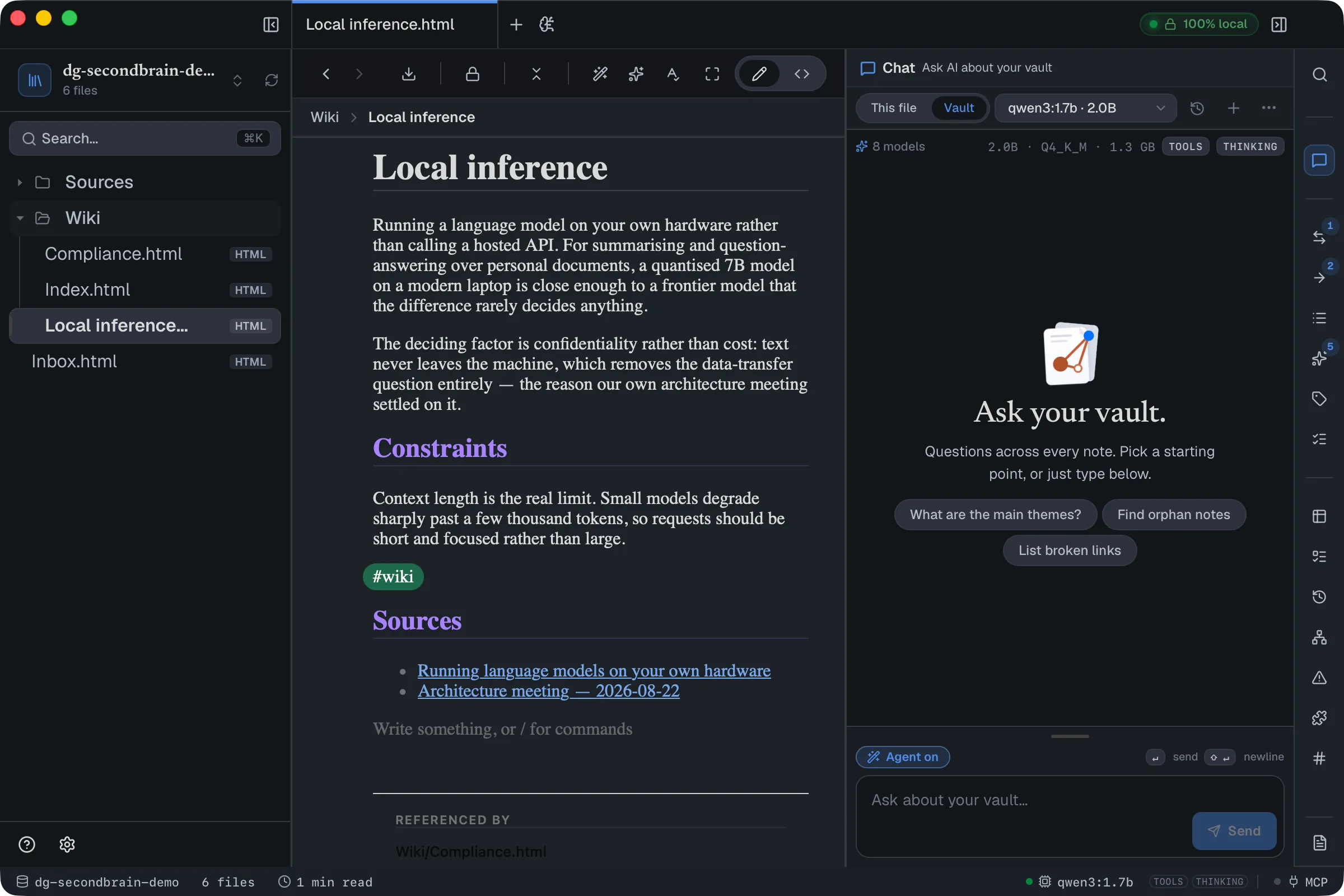
Notice the Referenced by footer at the bottom. You never maintain that; DocGraph derives it from the links.
4. Extend, don’t duplicate
Section titled “4. Extend, don’t duplicate”The next source that touches the same subject goes into the same page. Open
it and use /write again, or the inline AI to rewrite
a section with the new material in mind.
This is the whole point of compiling. Ten sources about one topic should leave you with one page that got better ten times — not ten summaries you now have to read. A wiki that grows sideways is just a slower version of the pile you started with.
5. Let the index maintain itself
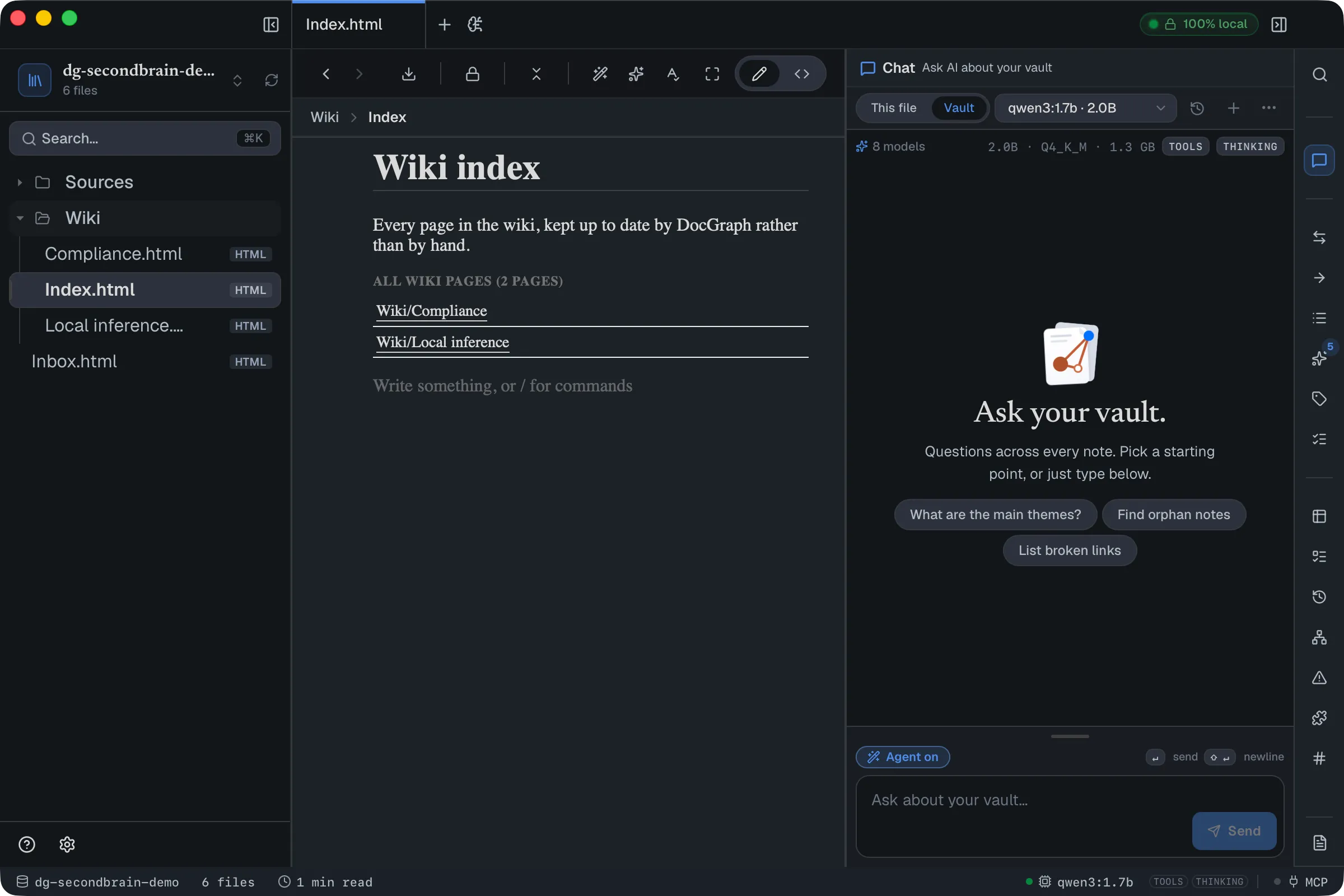
Section titled “5. Let the index maintain itself”Here DocGraph does more than the folder-of-markdown setups. Instead of hand-
listing your pages, tag each one (#wiki works fine) and put a graph query
on your index page:
<div data-docgraph-graph-query='{"tags":["wiki"],"title":"All wiki pages"}'></div>That renders a live list, recomputed every time the page is viewed. Write a new page, tag it, and it appears — no editing the index, ever.
6. Review the structure, not just the pages
Section titled “6. Review the structure, not just the pages”Open the graph. Sources sit at the edges, compiled pages in the middle, and the typed links between them are colour-coded — the legend counts them:
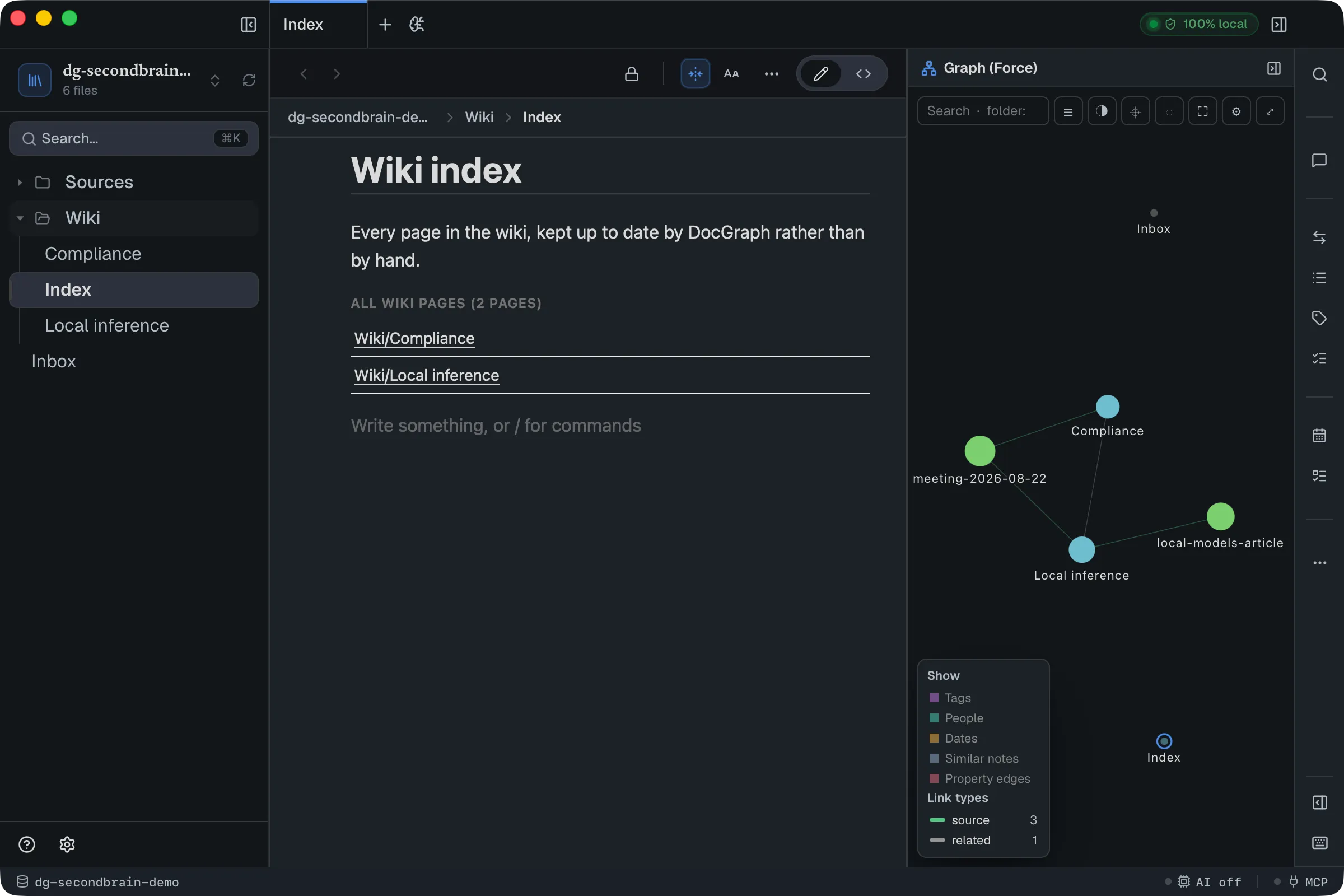
Two things are worth looking for. A wiki page with no green source link is a page whose claims you cannot check. A source with nothing pointing at it was collected and never compiled.
The Problems panel covers one mechanical half — broken links, and pages you have marked as contradicting each other. Orphans are the other half: the Vault Map panel lists them, and chat’s Find orphan notes prompt does the same in one click.
What you get, and what you don’t
Section titled “What you get, and what you don’t”After a few weeks the wiki is the thing you actually read. It is also better material for chat than the raw pile was: a compiled page is denser and better linked, so answers drawn from it are better — and you can just read the page yourself, with AI off, which is the real payoff.
What DocGraph does not do:
- It does not watch
Sources/or compile anything on its own. You choose when. - It does not merge a new source into an existing page for you — you point
/writeat the page you want extended. - It does not verify a citation. A
sourcelink is a link you added, and the page is only as honest as the draft you accepted.
If that sounds like too much manual work, it is worth knowing why it is manual: we tried building the automatic version and measured it against local models on the kind of machine most people have. The compiling step is easy for a small model; the deciding steps — which page, whether it already exists, what to update — are where they fail, and a wrong automatic merge is much more damaging than a page you wrote yourself. Until that is solved, you make those calls.