Activity log
The privacy badge tells you what is happening now. The Activity log is the record of what already happened: the connections DocGraph made off your machine, and every time its AI read your notes.
Getting there
Section titled “Getting there”Settings → Privacy → Activity & audit, or click the privacy badge. There are three tabs: Network, AI and Index.
Network
Section titled “Network”Every connection DocGraph makes off this machine through its own network code gets a row: what it was for, where it went, when, whether it succeeded, was blocked or failed, and how many bytes. It also records when the app’s own security policy stops a bundled script from calling out.
It does not record:
- connections that stay on your computer — a local AI model, a local search service;
- a remote Ollama’s model-management calls (listing, downloading and deleting models) — the badge shows them, but only chat requests to it are logged;
- connections DocGraph doesn’t make itself: external command-line agents, AI tools connected to the MCP server, remote content you allow for a vault, and downloads Docker or Ollama make when you ask DocGraph to set them up;
- the content of any request or reply — your notes are never copied into it.
The log is shared by all vaults, kept in ~/.docgraph/activity-ledger.jsonl (readable only by you), and rotates at 2 MB, keeping one older file.
The Network and AI tabs each show only the latest 500 rows, newest first. Older rows stay in the file but aren’t listed in the app. The older rotated file isn’t shown at all; it is a plain file you can open yourself.
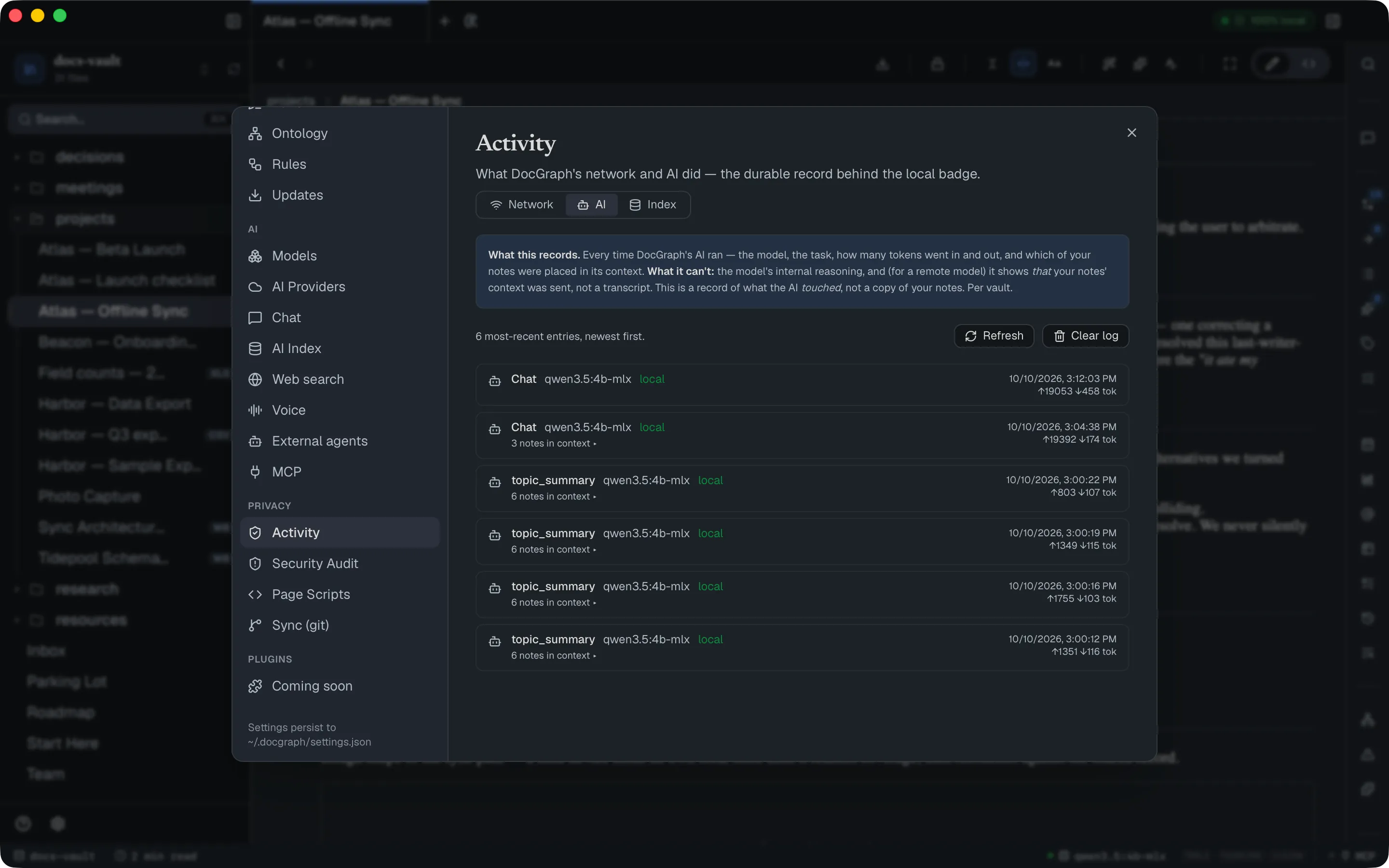
Every time DocGraph’s AI runs — a chat, an agent turn, a summary, a proofread — the log records the task, the model and provider, whether it ran locally, token counts and cost where known, and which notes were placed in its context. It records what the AI touched, not a transcript: no prompts, no replies, no reasoning.
Actions taken by a connected MCP client appear here too, as mcp: rows with the file named in the request (a search across many files names none).
The AI log is kept per vault, with the vault’s index.
A live view — not a log — of which notes the AI can read, which are out of date, and which aren’t indexed. There is nothing to clear.
Test the boundary yourself
Section titled “Test the boundary yourself”On the Network tab, Verify the guarantee → Test now asks DocGraph to make a deliberately disallowed request. You should see:
- Blocked ✓ under the button,
- the privacy badge turn red for a few seconds,
- a new blocked — nothing sent row at the top of the log.
The request is refused before any connection is opened. If you ever see Not blocked, the boundary isn’t holding — please report it.
Clearing
Section titled “Clearing”Clear log empties the tab you’re on, after asking. Clearing the network log leaves one dated cleared row, so an emptied log can be told apart from one that was always empty. The older rotated file (activity-ledger.jsonl.1) is not deleted by clearing.
What it can’t see
Section titled “What it can’t see”This is an honest record of DocGraph’s own traffic, not a capture of everything on your computer:
- calls made by your operating system or other apps;
- what an external agent sends once it runs — DocGraph records that it started one, not its traffic;
- blocked attempts from inside an open document.
There is no export; the network log is a plain JSON Lines file you can open yourself.