ERD Table Nodes
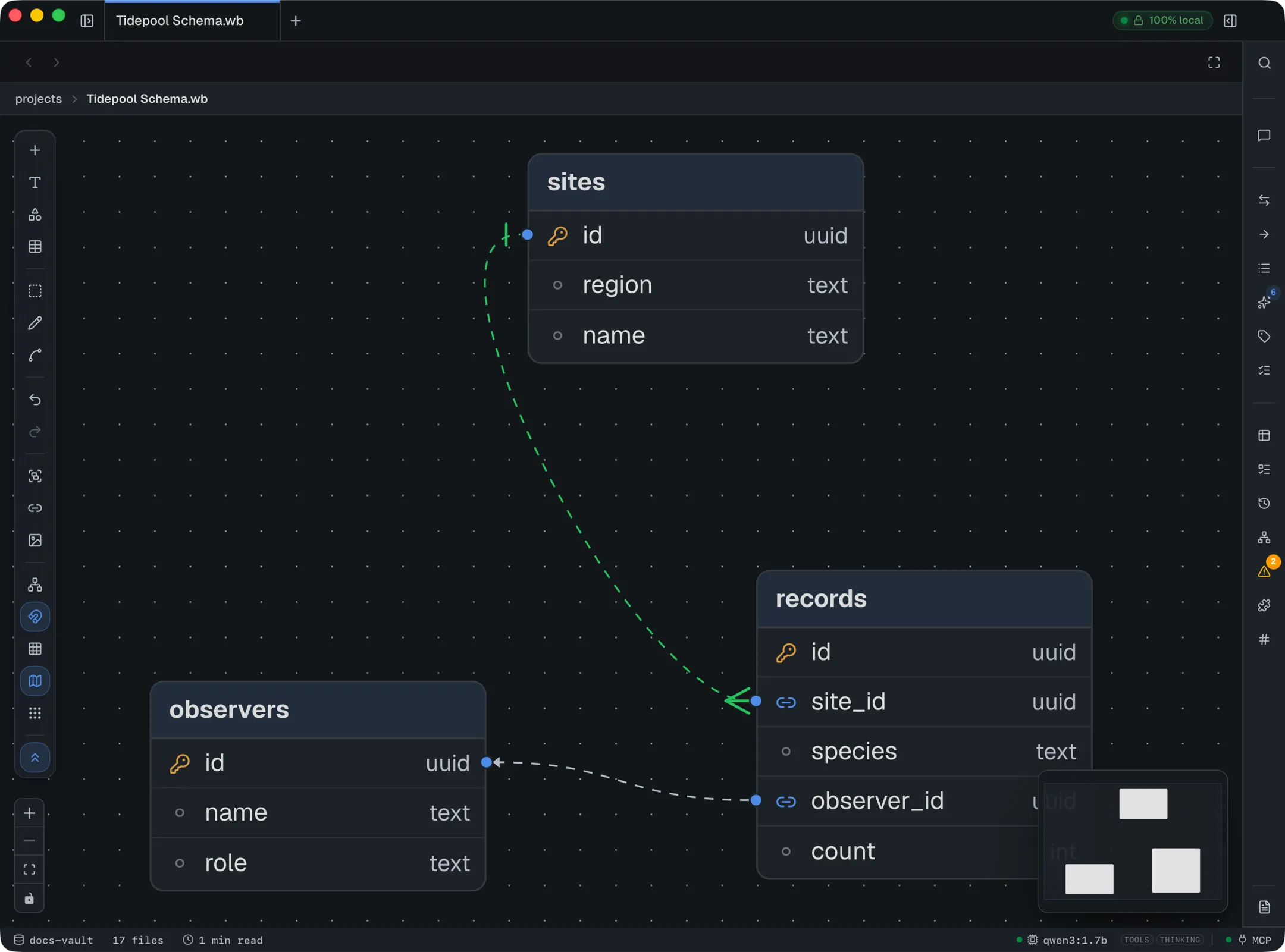
Whiteboards include a dedicated table node for entity-relationship diagrams — sketch a schema right next to the notes that explain it, and link the two together.
Building a table
Section titled “Building a table”The dock’s Table tool adds a table node seeded with three starter columns, ready to rename into your own schema.
- Rename the table — double-click its title.
- Add a column — the + Add column button at the bottom of the table.
- Rename a column, or change its type — double-click the name or the type cell independently; each commits on Enter. Type is free text (
uuid,text,int,varchar(255), anything you want) — there’s no fixed type list to pick from. - Mark a primary or foreign key — the small icon button on the left of each row cycles through plain → primary key → foreign key → plain on each click.
- Reorder columns — drag the grip handle on the left of a row.
- Color the table — select it and pick a swatch from the style panel’s palette; the color tints the table’s header.
- Remove a column — the ✕ on the right of a row. If another table has a relationship pointing at that exact column, the connection doesn’t break — it re-anchors to the table as a whole.
Connecting tables
Section titled “Connecting tables”Every table exposes a connection handle on each column, on both sides — plus the usual four handles on the table’s header, for a plain table-to-table link that isn’t anchored to any particular column. Drag from one handle to another to draw a relationship; it’s the same drag gesture as connecting any other kind of node on the canvas.
Cardinality (crow’s-foot notation)
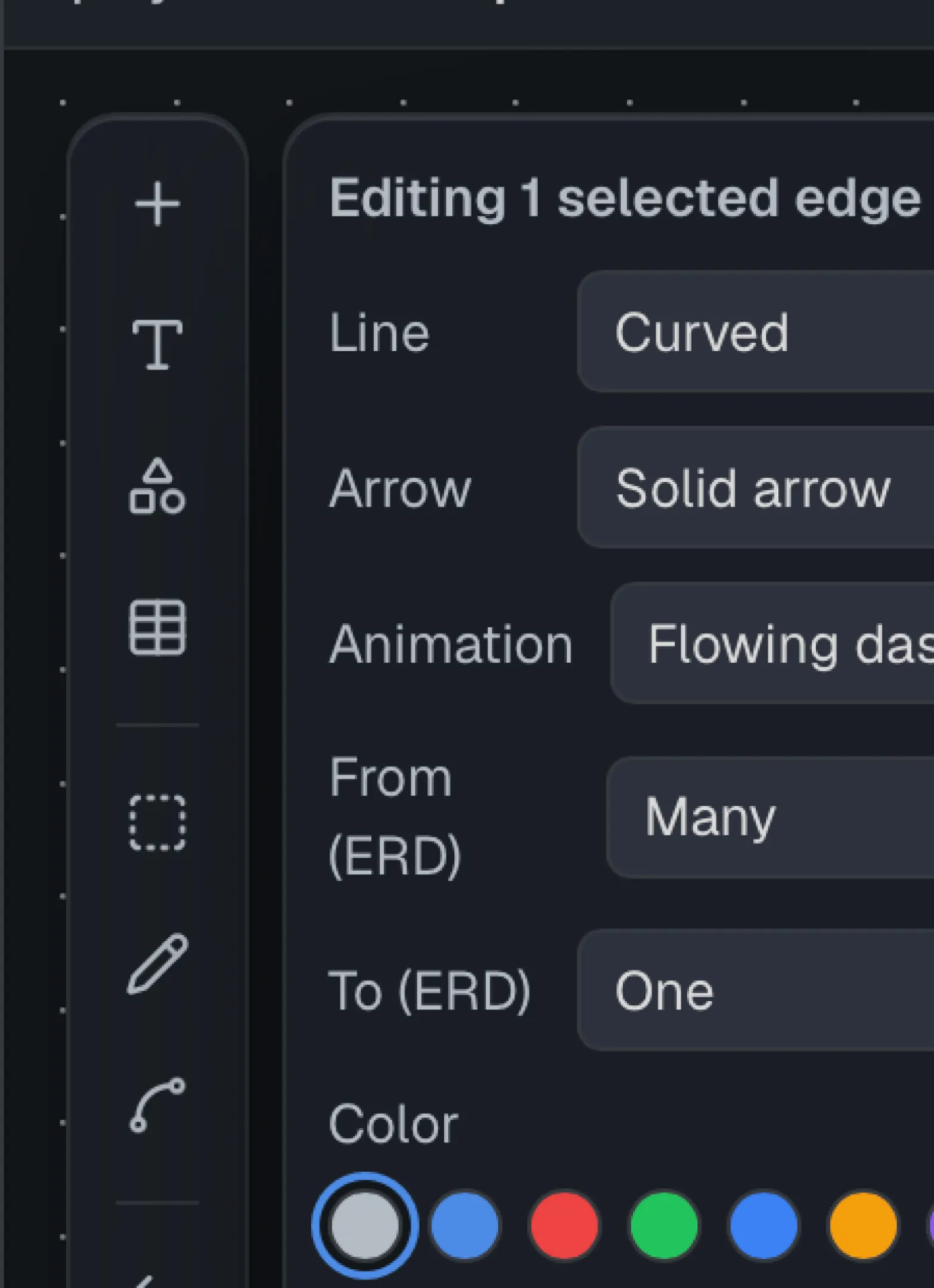
Section titled “Cardinality (crow’s-foot notation)”Select a relationship edge to open its style panel, which includes two independent dropdowns — From (ERD) and To (ERD) — one for each end of the line. Each end can be set to Plain, One, Many, Zero or one, One or many, or Zero or many, so you compose whatever cardinality the relationship actually has rather than picking from a short fixed list.
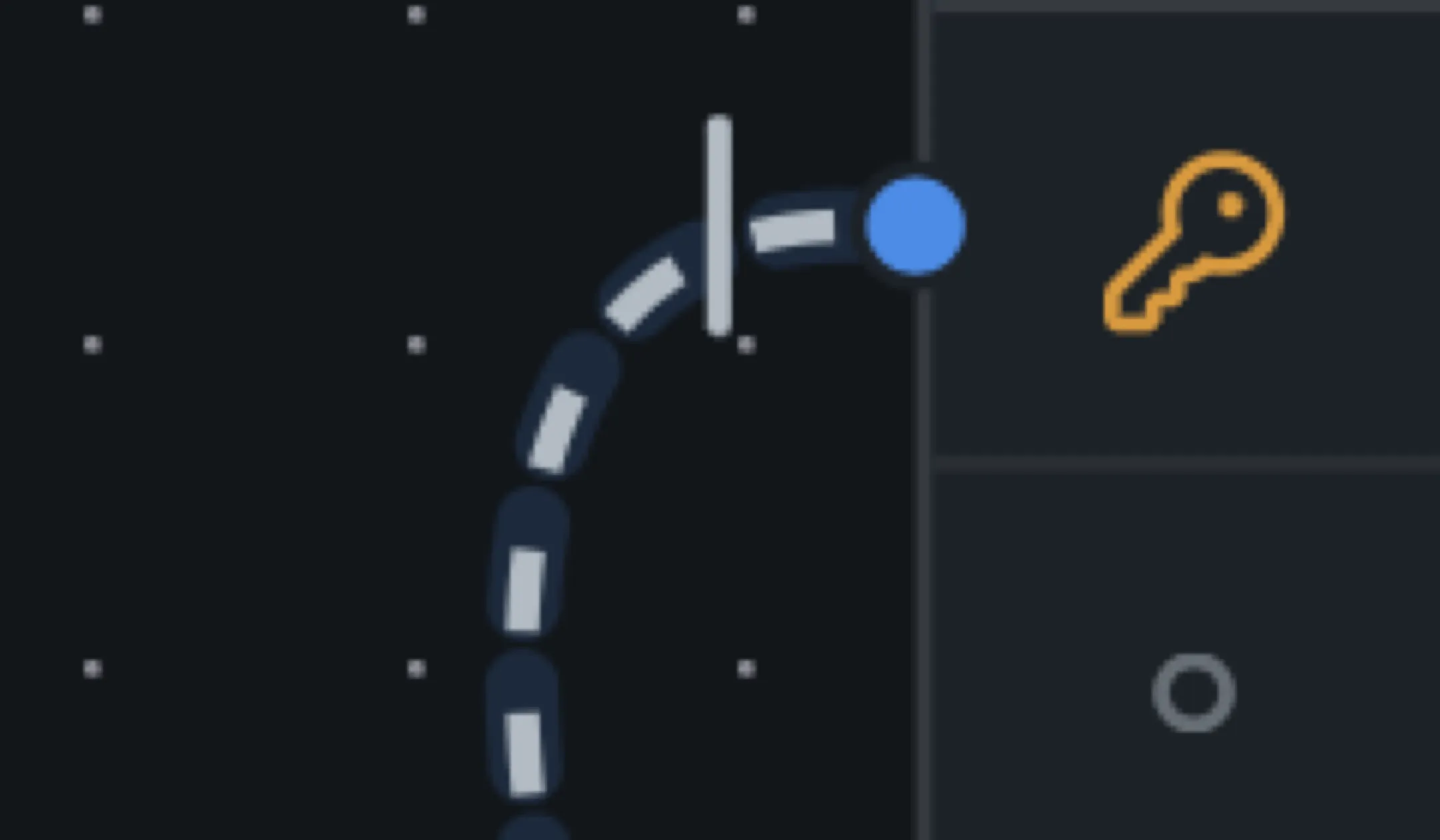
DocGraph draws the matching glyph at each end of the line — a bar for “one”:
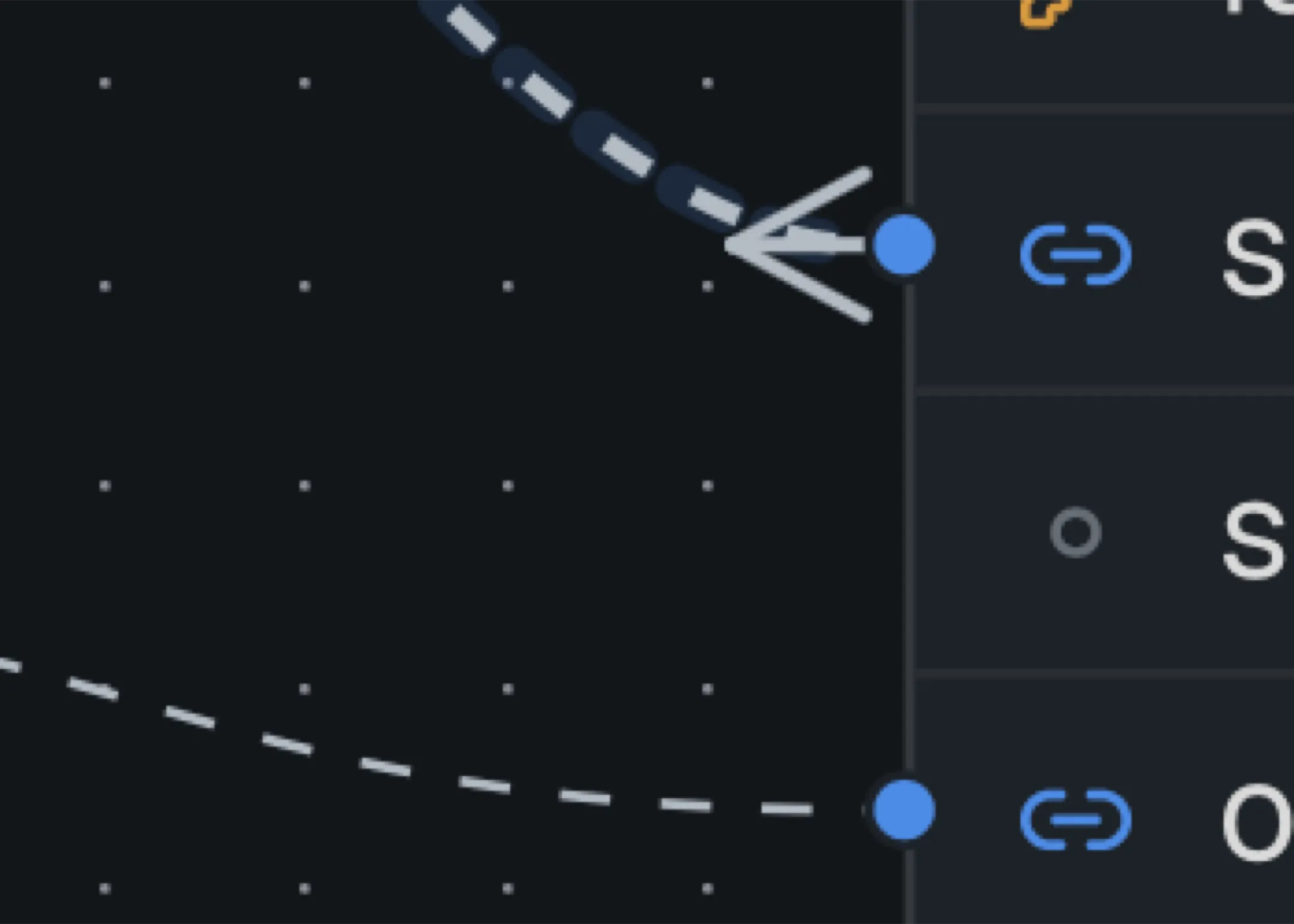
— and a crow’s-foot for “many”:
What “connected” means here
Section titled “What “connected” means here”Dragging a connection between two handles always works — DocGraph doesn’t check that a uuid column only links to another uuid column, or enforce any other notion of “compatible” endpoints. What it does guarantee is file integrity: a foreign-key edge always resolves to a real column on a real table, and if that column is later renamed that’s fine (edges track the column’s identity, not its label) — it’s only removed entirely that re-anchors the edge to the table itself rather than leaving it dangling.
Let AI draft it
Section titled “Let AI draft it”You can describe a schema in plain language in chat and have the assistant build the tables, columns, and foreign-key relationships for you — including setting cardinality. It’s the same confirmation-gated agent that edits your notes, just aimed at a whiteboard instead.
The same works from outside the app. Connect Claude Code, Cursor or any MCP client to DocGraph and ask it for the schema; it authors the .wb through the create_board tool and extends it later with edit_board. See Author a diagram from Claude Code.